Admin Panel
Menu
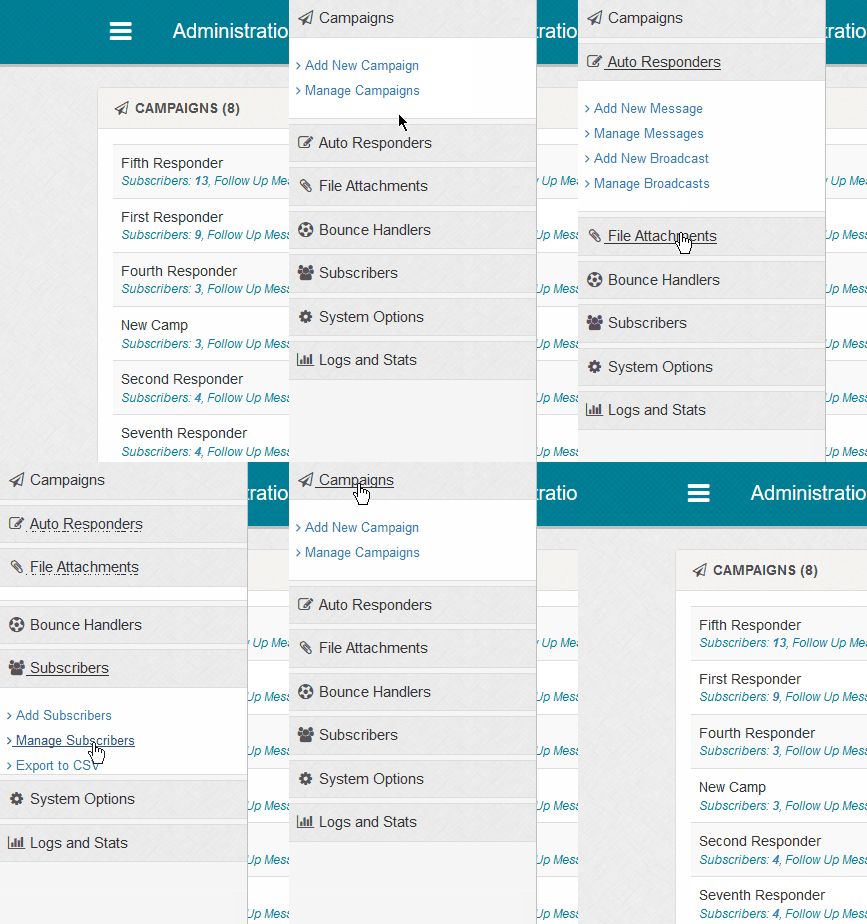
The main menu is accessed by clicking the icon, this displays the off canvas menu. Click
anywhere off menu to close (swipe not supported at the moment). Click the main headings to view each sections options. Clicked header is maintained on page load unless this
screen is loaded.
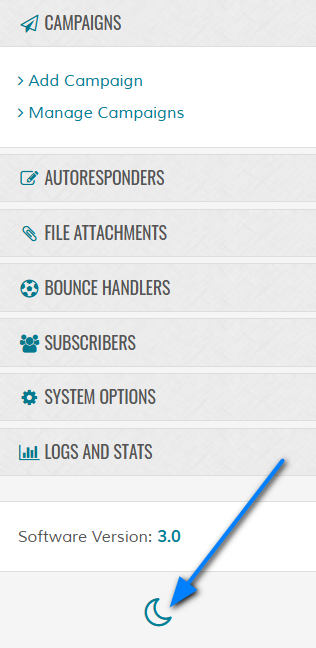
System Theme - Light or Dark
Maian Responder supports light and dark options. To switch between either use the option in the off canvas menu. The setting can also be found
in the system settings.
Search
Use the search box to quickly search subscribers.
Graph
The graph displays a simple overview of subscribers for last and current year. Useful to see how your subscriber base
has grown over the last couple of years. The statistics page will show more information. Note that the graph shows subcribers
once only, so if subscribers are in multiple campaigns they won't be duplicated. The date is taken from their initial campaign sign up.
If you prefer not to show the graph on small devices, set the 'GRAPH_SM_DEV' constant to '0' in the 'control/userdef.php' file.
If you prefer not to show the graph on small devices, set the 'GRAPH_SM_DEV' constant to '0' in the 'control/userdef.php' file.
Campaign Overview
Shows the current campaigns, the total number of subscribers in each campaign and also the total amount of follow up messages
currently being used in each campaign. Each link is clickable taking you to the relevant screen. Broadcast messages aren't shown as they are one off
messages.
For icon help, see the main campaign screen information.
For icon help, see the main campaign screen information.
Active Broadcast Messages
This is only shown if you have active broadcast messages. Send counts are auto updated every 20 seconds and will disappear
automatically if completed. You can disable the auto refresh or increase / decrease the refresh time in the "control/options.php" file.
define('ENABLE_ACTIVE_BROADCASTS', 1);
define('ACTIVE_BROADCASTS_REFRESH', 20000);
define('ENABLE_ACTIVE_BROADCASTS', 1);
define('ACTIVE_BROADCASTS_REFRESH', 20000);
Latest XX Subscribers
Displays the last XX limit of subscribers. Count can be adjusted in 'control/options.php' via the 'HOME_LATEST_SUBS' option.
Latest XX Follow Up Messages
Displays the last XX limit of follow up messages. Count can be adjusted in 'control/options.php' via the 'HOME_LATEST_MESSAGES' option.
Latest XX Broadcast Messages
Displays the last XX limit of broadcast messages. Count can be adjusted in 'control/options.php' via the 'HOME_LATEST_BROADCASTS' option.